
.png)








Show all
Business insights
How to Pay for ChatGPT Plus and the OpenAI API with a Card

31.08.2026
05
min to read

31.08.2026

To track conversions from paid search ads, you need to align your business goals with technical triggers. First, define what a "win" looks like (a sale, a lead, or a call). Use the Google Ads Tag for the most accurate, real-time data, or import conversions from GA4 to see the whole customer journey. Supplement this with Call Tracking for phone-heavy businesses and use Finup to manage digital marketing spend without friction.
A conversion is a specific action taken by a user that accomplishes a company’s desired goal. It is the bridge between a "click" (which costs you money) and "revenue" (which makes you money). Depending on the business model and current objectives, “conversion” can mean the following:
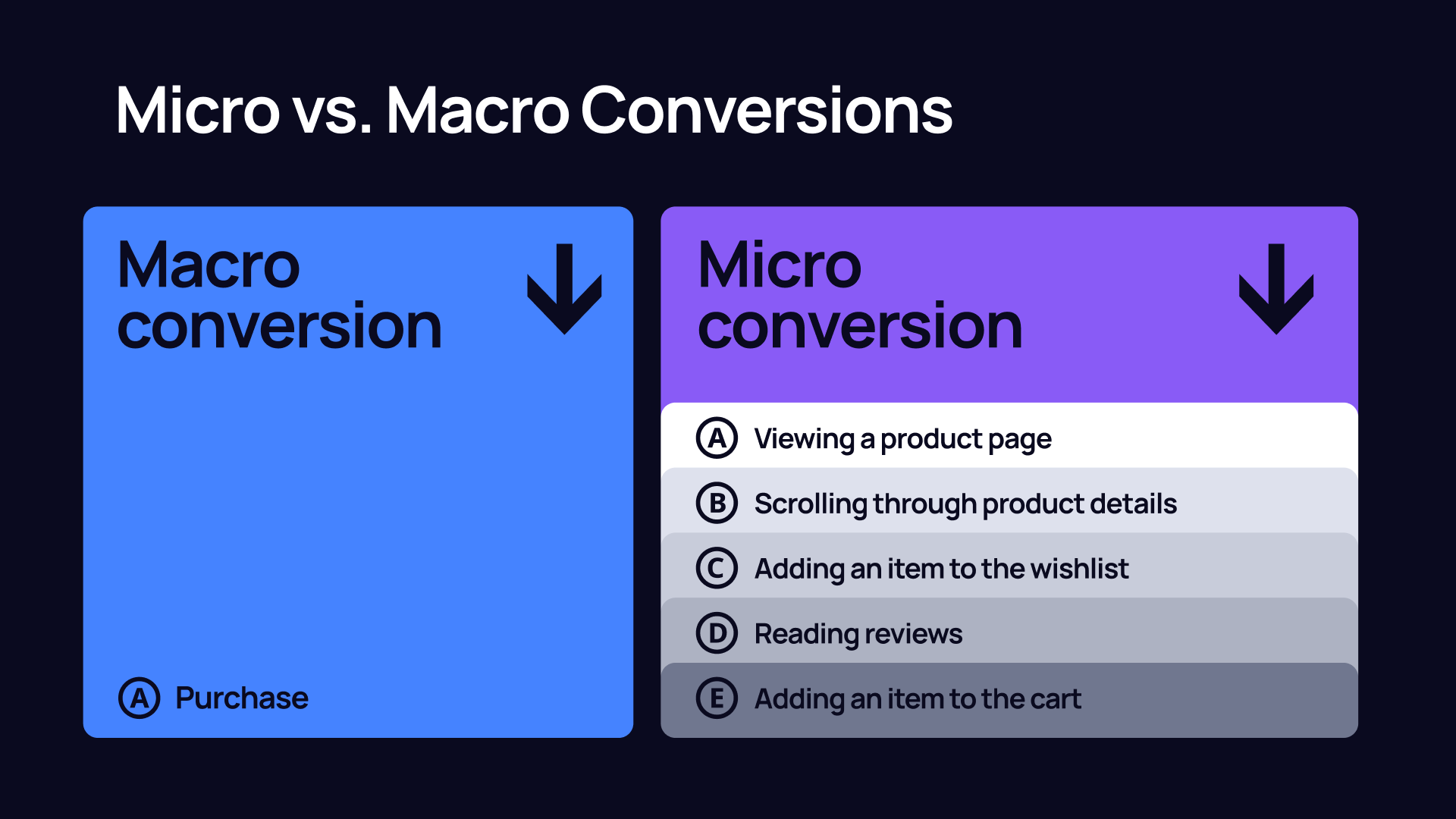
In your paid search campaigns, you should also be able to differentiate micro and macro conversions.
Google Ads offers several ways to capture PPC metrics, particularly conversion data. Here is how to set up the most common types.
This involves placing a snippet of code (the Google Tag) directly on your site. It is the most reliable method for Google’s bidding algorithms.
If you already have events set up in Google Analytics 4, you can pull them into Google Ads and ensure smooth PPC tracking.
Avoid importing the same conversion from both the Google Tag and GA4, or you will double-count your results.
Some businesses may attract users through Google and then convert them through phone calls. If it’s about you, here’s how to track the performance of your PPC campaigns.
If you have a mobile app, use Firebase or a third-party App Attribution Partner (like AppsFlyer) to track conversions from paid search ads.
Google Analytics 4 (GA4) tells you what the user did before and after that click. It collects event-based data from websites and apps to analyze the customer journey and provide insights into how users interact with your business through different touchpoints. This can let you optimize campaigns according to what works best and how users go through the marketing funnel.
In GA4, almost everything is an "event." To track a specific action (like a generate_lead event) as a conversion:
Sharing data between platforms is crucial for collecting reliable paid search analytics.
This report breaks the journey into Early, Middle, and Late touchpoints.
You might find a specific "Paid Search" keyword always appears as an Early touchpoint (the first 25% of the journey) but rarely as the final click. Do not pause these "assist" keywords. They are driving the initial awareness that leads to a sale via Organic or Direct traffic later.
Google Ads conversion tracking usually credits the Last Click, but a Google Analytics account defaults to data-driven attribution. Compare these two side-by-side. If a campaign's revenue increases by 20% when you switch from "Last Click" to "Data-Driven," it means that PPC tracking isn’t so reliable at the beginning and undervalues the campaign. Increase the budget or Target CPA for campaigns that show a "positive lift" in the Data-Driven model.
If your average path is 10 days and 4 touchpoints, don't judge a new ad's performance after only 48 hours. Give your "Measure & Adjust" cycle enough time to match your customers' actual buying habits.
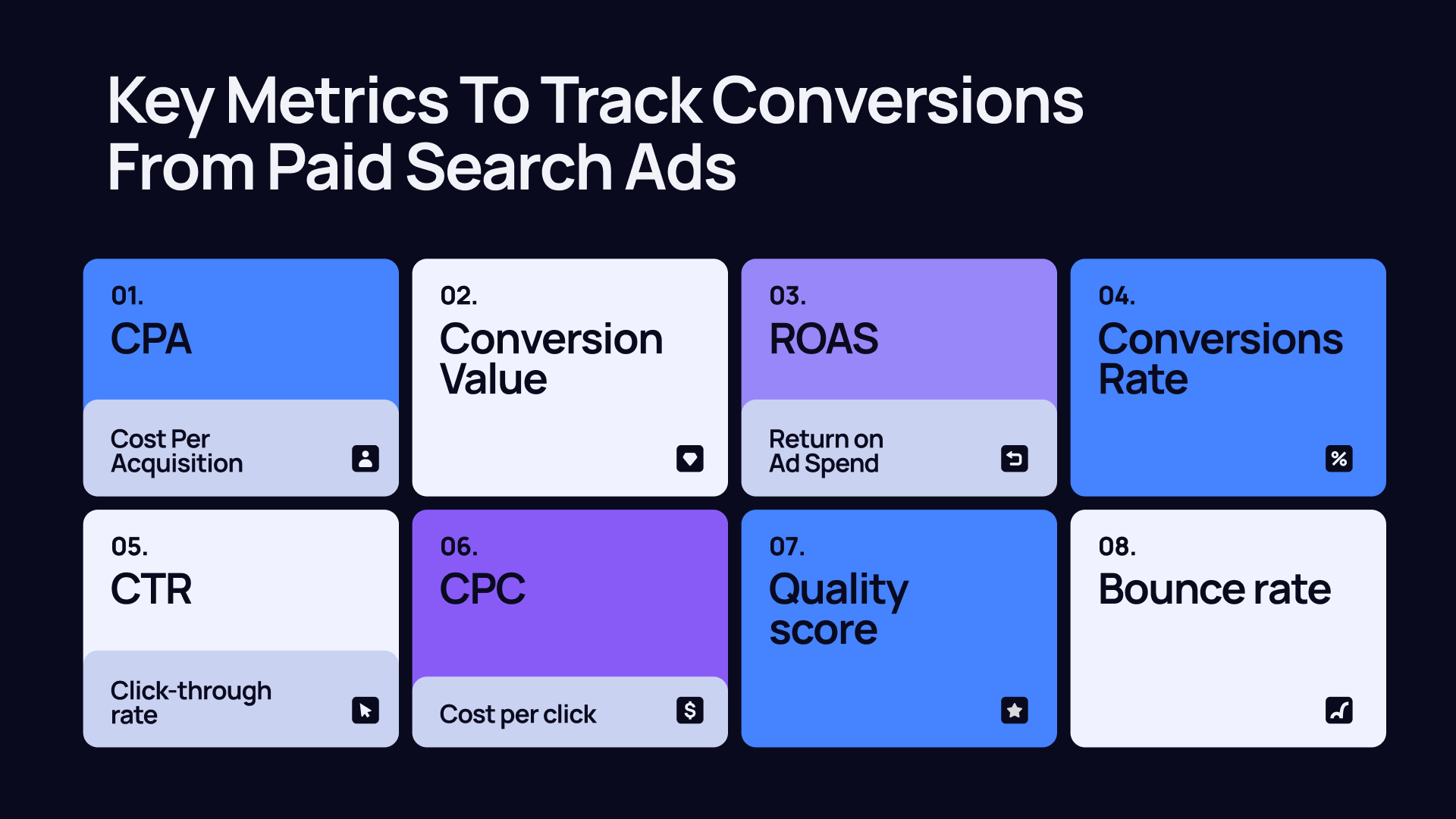
Businesses that drive clients from search engine promotion need to analyze several important parameters. While Google provides a lot of data, tracking the right metrics and adapting them properly is the key. Here’s how to do it.
CPA is the "price tag" for a single customer or lead. It tells you exactly how much you spend to get one person to take a conversion action.
Formula: Total Cost / Total Conversions
It directly impacts your profit margins from paid campaigns. If your CPA is higher than the profit you make from a single lead, your campaign is losing money. You should aim for a CPA that is lower than your Customer Lifetime Value (CLV).
This is the total dollar amount generated by your conversions. While lead generation might use an "estimated" value, e-commerce stores use "actual" transaction values.
Not all conversions are equal. Ten $5 sales are less valuable than one $100 sale. And thanks to tracking the Conversion Value, you can optimize PPC ads to find higher-spending customers.
ROAS means how much money you actually earn for every $1 you spend on online promotion. In Google Ads conversion tracking, return on investment is the "big picture" metric. While CPA tells you how much a lead costs, ROAS tells you if that cost is actually worth it.
Aim for a ROAS of 400% ($4 back for every $1 spent) or higher. This metric is crucial for guaranteeing the profitability of your business as it expands.
CVR measures website effectiveness. It is the percentage of visitors who actually "convert" after clicking. If your CVR is low, your website might be confusing or too slow. Improving your site's design can improve your results without increasing your ad budget.
Still questioning, “How do I track conversions from my paid search ads effectively?” Here are some metrics, like CTR or other secondary indicators, that help you diagnose the health of your funnel.
It isn’t enough to track conversions from paid search ads if you want to succeed in online promotion. Advertisers may struggle with payment failures, high currency conversion fees, or disorganized billing that makes ROI calculation a nightmare.
It’s much easier to track how much you spend on paid ads by using specialized fintech tools like Finup. Here is how it impacts your tracking and bottom line:
The most effective way to track conversions from paid search ads is to use Google Tag Manager and Google Analytics 4 together. Apply Google Tag Manager to find out where your customers convert and use the GA4 analytics tool to discover how they do it.
If your business accepts both, you must track both. If you only track forms, you can miss 50% of the picture, and your CPA will look artificially high. So, it’s better to collect both PPC analytics to get a 360-degree view of your lead generation.
PPC conversion tracking best practices include using analytic tools like GA4 combined with a UTM tagging system. By adding parameters to the end of your URLs, you can see exactly which platform, campaign, and even specific ad drove each conversion in one single dashboard.
.png)
.png)
%20EN%20cover.png)
